ResourcesPayments, Accounting & Portfolio Operations
How to Reconcile Commercial Tenant Payments Without Spreadsheets
How to apply commercial tenant payments to the right charges, clear unapplied cash, and close the month without a reconciliation spreadsheet.
Vestibule Editorial
· 14 min read
Most commercial landlords don’t have a collection problem. They have an application problem. The money usually arrives. The work is figuring out what it pays for.
A tenant with three suites sends $48,750 with no note. Their charges that month total $51,200 across base rent, estimated CAM, and a prior-year CAM true-up. Someone in accounting opens a spreadsheet, and the month-end close slips another day.
This article covers how to apply commercial tenant payments to the right charges, how to handle the exceptions that create unapplied cash, and a month-end routine that keeps the tenant ledger, the bank, and your accounting system in agreement. For how tenants pay in the first place, see How to Collect Commercial Rent Electronically.
Why commercial cash application is harder than it looks
A commercial tenant rarely owes one number. A single lease can bill base rent, estimated CAM, real estate taxes, insurance, utilities, and an annual reconciliation true-up, each with its own GL account and, often, its own recovery pool. Multiply that by tenants with several suites or several buildings, and one payment can touch a dozen open charges.
The payer adds more complexity:
- A parent company’s AP department pays for three subsidiaries in one transfer.
- A tenant pays two months at once, or half of one.
- A tenant pays everything except the charge it disagrees with, and says nothing.
Where you apply the cash matters more than it seems. It decides what the aging report shows, whether a late fee triggers, what the tenant sees on its next statement, and what ownership sees on the CAM recovery report. Apply a payment to the wrong charge and the books still balance, but every one of those reports is now slightly wrong.
Many commercial leases say how the landlord may apply payments, sometimes regardless of what the tenant designates. Others are silent. Review the lease, and any instruction the tenant sends with the payment, before you allocate. Confirm with your attorney or accountant how your lease language and accounting policies apply.
The five exceptions that create unapplied cash
Most payments match on their own: right payer, right amount, right lease. The ones that don’t fall into five patterns, and each has a standard fix.
| Exception | What it looks like | Good handling |
|---|---|---|
| Lump payment, no remittance | One deposit covers several suites, leases, or months, with no breakdown | Record the receipt, then compare it with the tenant’s open charges. A clean match is a strong lead, not a final answer. Confirm with the payer and check the lease before applying it. |
| Short pay | The payment is less than the balance, usually because one charge is in question | Find the charge that equals the gap and ask the tenant what it intends. Depending on the lease and your accounting and legal requirements, you may be able to apply the payment to the undisputed charges and track the gap separately. |
| Payer doesn’t match the lease | A parent company, an affiliate, a guarantor, or the tenant’s former entity name after an assignment | Confirm who the payment is for before applying it. Record the payer as an approved payer on that lease so next month matches. |
| Overpayment or prepayment | The tenant pays ahead, or pays a charge twice | Hold it as a credit on the right lease, tell the tenant, and agree whether it rolls forward or is refunded. Don’t let it sit as unidentified cash. |
| Returned payment | An ACH return or a bounced check after the payment was already recorded and applied | Reverse the receipt and the application, reopen the charges, and tell the tenant within a day. Handle any late fee under the lease. |
Recording a payment and applying it are two separate steps. When a deposit lands, record it: the cash is in your bank account, so it belongs in your books, even before you know what it pays for. Applying it to a tenant’s open charges can wait until you’ve identified the payer and confirmed the allocation.
Until then, the money sits in an unapplied cash account. That account is reconciled like any other, and it should stay small. Every item in it needs a name next to it and is cleared or escalated within a set number of business days.
A worked example: one payment, three suites, a disputed true-up
Illustrative example. The tenant and figures are hypothetical.
An engineering firm leases Suites 410, 420, and 430 in the same building. Last month it was billed a $2,450 prior-year CAM true-up on Suite 410. This month’s recurring charges are:
- Suite 410: $22,000 base rent + $3,100 estimated CAM = $25,100
- Suite 420: $15,500 base rent + $2,150 estimated CAM = $17,650
- Suite 430: $5,300 base rent + $700 estimated CAM = $6,000
Recurring charges total $48,750. With the true-up, the open balance is $51,200. The tenant sends one ACH payment of $48,750 with no remittance detail.
The payment equals the recurring charges to the dollar. That strongly suggests the tenant paid what it agrees it owes and left out the true-up. But it’s a signal, not proof. The tenant may have meant a partial payment toward everything, made an error in its AP system, or be questioning a different charge.
Before allocating, check two things: whether the tenant sent remittance instructions (or will, if you ask), and what the lease says about how the landlord may apply payments.
| Open charge | Amount | Applied oldest-first | Applied as the tenant confirms |
|---|---|---|---|
| Suite 410 CAM true-up (billed last month) | $2,450 | $2,450 | $0 (left open, tracked as in question) |
| Suite 410 rent and CAM | $25,100 | $25,100 | $25,100 |
| Suite 420 rent and CAM | $17,650 | $17,650 | $17,650 |
| Suite 430 rent and CAM | $6,000 | $3,550 | $6,000 |
| Total applied | $48,750 | $48,750 | |
| Left open | $2,450 of Suite 430 rent | $2,450 true-up, in question |
What usually happens. Under an oldest-first allocation rule, the cash goes to the oldest charge first. The true-up gets paid, and $2,450 of Suite 430’s rent shows as late. A late fee may trigger. The tenant’s next statement says it is behind on rent, which it believes it paid in full. A CAM question has become a rent dispute, and the tenant’s controller is now annoyed about two things.
Good handling. Confirm the tenant’s intent first. Contact its AP team the same day and ask what the payment covers. If the tenant confirms it was meant for the current charges, and the lease permits applying it that way, apply it suite by suite and leave the true-up open.
Whether that open true-up can be kept out of delinquency reporting, and whether a late fee applies, depends on the lease and on your accounting and legal requirements. Decide it deliberately rather than by system default. Then send the tenant’s AP contact a short note:
- What the payment was applied to.
- That the $2,450 true-up remains open, and how it’s being treated under the lease.
- The reconciliation backup for that charge, and who to call with questions.
Why it matters to ownership. The open $2,450 is identified for what it is: an unresolved CAM true-up, not unpaid Suite 430 rent. Even if the lease or your policies require that amount to stay in the delinquent aging, the notes show what it is and why it’s open. The CAM recovery report still shows the true-up as unresolved, which is accurate. And the conversation with the tenant stays about one charge, with the backup already in hand.
A month-end reconciliation routine
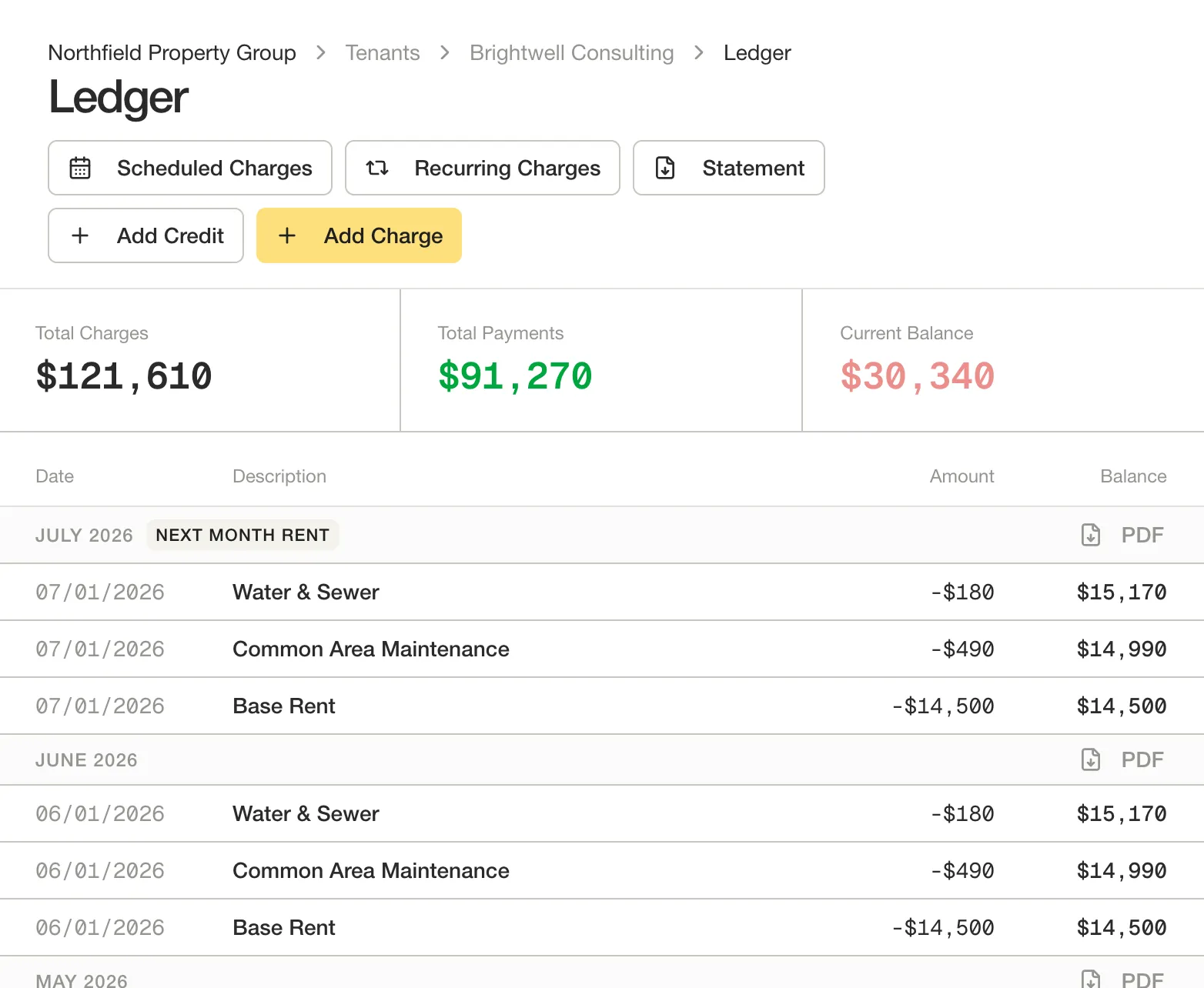
Reconciliation is three comparisons, done in order. First, compare the bank with the cash recorded in your books. Next, compare recorded receipts with the tenant ledgers. Last, compare the tenant ledgers with the receivables in your accounting system. A spreadsheet appears when one of those links is missing, so someone rebuilds it by hand.
Every deposit is recorded first, then applied or held as unapplied cash
01 · Deposit lands
In the bank account.
02 · Record the receipt
Cash entry in the books, before anyone knows what it pays for.
03 · Identify the payer
And the lease it's for.
Allocation confirmed?
Month-end: bank to books, allowing for timing differences, returns, fees and non-rent deposits. Tenant ledgers to receivables, and unapplied cash to the open-items list.
Every deposit is recorded as received first. Then it’s either applied to the tenant’s open charges or held in unapplied cash, with an owner, until the team confirms what it’s for. Both paths are reconciled at month-end.
The routine below keeps all three in step. It assumes each property, or each ownership entity, has its own bank account.
- Daily: record receipts within one business day. Record every deposit as received. Apply it once the payer, the lease, and the allocation are confirmed. Otherwise, hold it in unapplied cash with a note and an owner. Owner: property accountant.
- Weekly: work the unapplied list. Call or email the payer on anything older than a few days. Route questions about charges to the property manager, who owns the tenant conversation. Owner: property accountant, with the property manager on disputes.
- Month-end: reconcile each bank account to the books. Not every deposit is a tenant receipt, and not every receipt has cleared by month-end. Account for deposits in transit and other timing differences, returned payments, bank fees, and deposits that aren’t rent, such as transfers, insurance proceeds, or owner contributions. Then investigate whatever is left. Owner: property accountant.
- Month-end: tie tenant ledgers to the general ledger. The sum of tenant balances should agree with accounts receivable in your accounting system. The unapplied cash account should agree with the list of items your team is working. A difference usually means a manual entry made in one place and not the other. Owner: property accountant.
- Month-end: review the aging with the open questions beside it. Look at delinquent balances, charges under discussion with tenants, and credit balances. They need different actions and different people, even when your policies keep them in the same aging report. Owner: property manager and controller.
- Close: sign off. The controller reviews the tie-outs, the unapplied cash balance, and the list of charges under discussion before the period closes. Owner: controller.
Security deposits deserve their own check. Make sure deposit receipts went to the right account and weren’t recorded as rent, since the lease or local rules may require them to be held separately.
What to ask tenants for so payments arrive matchable
The cheapest exception is the one that never happens. Most can be prevented with a short request to the tenant’s AP team at move-in, and again when its contacts change.
- One payment per lease, or a breakdown. If the tenant pays several suites or buildings together, ask for remittance detail that names each lease or suite and the charges being paid.
- Remittance detail with ACH payments. A check stub travels with the check. An ACH payment carries only what the sender adds. A CCD entry can carry a single addenda record with an 80-character payment-related information field. A CTX entry can carry up to 9,999 addenda records (Nacha ACH Guide for Developers, accessed October 2026). Ask for the lease or suite number and the statement or invoice number in that field. One caution: depending on your bank and the reporting you use, addenda detail may not show up in your online banking view or statement. Ask your bank how to receive it, for example through a remittance or addenda report.
- A consistent payer name. Ask the tenant to tell you before payments start coming from a parent company, a new bank account, or a shared services center.
- Disputes in writing, before the short pay. Ask the tenant to name the charge it is questioning. A dispute raised in advance is a conversation. One discovered at month-end is an exception.
- Statements that make matching easy. Give each charge a reference number and show it on the statement, so the tenant can quote it back.
- Access for the person who pays. The tenant’s finance contact should be able to see the ledger directly. When they can see how last month’s payment was applied, they’re far less likely to repeat a mistake.
Checks haven’t gone away. Organizations reported that 26% of their business-to-business payments were made by check in 2025, down from 33% in 2022 (AFP 2025 Digital Payments Survey, 2025). That survey covers corporate treasury teams in general, not commercial rent. Still, it’s a reminder that most portfolios will be matching a mix of checks, ACH, and other payments for some time.
Where software helps, and where judgment still matters
Spreadsheets show up in reconciliation because information is in the wrong place. The charges live in the accounting system, the lease terms live in a PDF, the payment detail lives in the bank portal, and the dispute lives in someone’s inbox. Good tools close those gaps. When you evaluate one, look for these:
- Charges that come from the lease. If billed amounts are set up from the lease record, the ledger and the lease agree before any payment arrives.
- Payments tied to a charge when they’re made. When a tenant pays against specific charges, the remittance comes with the payment instead of arriving later, or not at all.
- One ledger, seen by both sides. When the tenant sees the same charges and the same applications you do, most “what was this for?” emails never get sent.
- Exceptions in a list, with owners. Unapplied cash, short pays, and returns should be visible as work to do, not discovered at close.
- A clean handoff to the accounting system. Your accounting system stays the system of record. The tool should send it clean, matched activity, so no one keys the same payment twice.
Some things software shouldn’t decide on its own: how to apply a payment when the lease and the tenant’s instruction disagree, whether to waive a late fee during a legitimate dispute, and when a balance should be written off. Those calls depend on the lease, the relationship, and ownership’s priorities. Good tools make the facts clear and leave those decisions to your team.
The bottom line
Reconciling commercial rent without a spreadsheet isn’t about a better spreadsheet. It’s about recording every receipt when it lands, confirming what each payment was meant for before applying it, keeping charges under discussion clearly identified, and tying the bank, the tenant ledgers, and the accounting system together every month. Most of the exceptions can be prevented by asking tenants for the right information up front and giving them a clear view of their own ledger.
Vestibule gives commercial landlords a branded tenant portal where tenants see their charges, pay, and see how each payment was applied. Statements are in the portal, and each tenant can have several users, including a finance manager for the person who handles payments. Vestibule works alongside accounting systems such as Yardi, MRI, and AppFolio, so your accounting system stays your system of record.
See how Vestibule handles rent payments. Explore the Payments page or request a demo.
Related reading
- How to Collect Commercial Rent Electronically: ACH, Checks, and Credit Cards. How tenants pay, and the trade-offs of each method.
- The Modern Commercial Landlord: Why Property Management Needs a New Operating System. Why rent collection works better when it’s connected to lease data.
- Commercial Rent Escalations Explained: Fixed Increases, CPI and Percentage Rent. How the charges you’re matching against are calculated.
- Why Every Commercial Landlord Should Offer a Branded Tenant Portal. What tenants should be able to see and do on their own.
Sources
- ACH File Details, ACH Guide for Developers, Nacha, accessed October 14, 2026 (page undated). Used for the CCD and CTX addenda limits.
- Third-Party Tax Payments (TPP) Banking Convention, Nacha, July 2013. Supporting reference; it gives the same CCD and CTX limits.
- 2025 AFP Digital Payments Survey Report, Association for Financial Professionals, underwritten by J.P. Morgan, 2025. Survey fielded May 2025; 223 treasury respondents in the U.S. and Canada.